DNS Update Godaddy
1. Log in to your Account: https://www.godaddy.com/
2. Navigate to Domains, select the domain that you wish to change the DNS settings on and click Manage DNS.
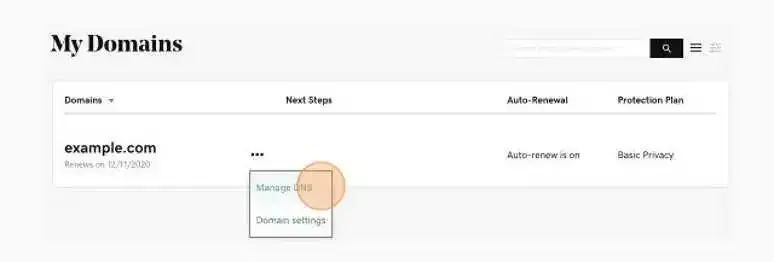
Tip: Under Records, your current DNS settings will be displayed.
3. Update the DNS records.
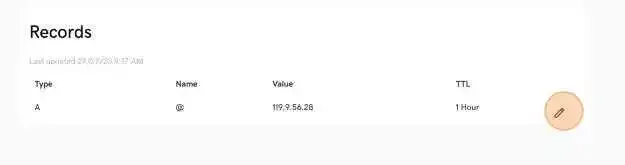
4. It is also recommended to change the TTL between 30min and 1 hour. This controls how soon future updates will take effect. Make sure this is set to 1 hour and click Update.
5. Once these settings have been saved, you have successfully changed the DNS records for your domain. These changes may take 1 – 4 hours to propagate throughout the web.
Tip: If you find that you are unable to make these changes yourself or need further assistance, please contact the support team at GoDaddy. They will be able to make these changes for you.