Access Password Field for Migration Sequence
4 min
Our password protection feature allows users to safeguard their development sites from being accessible to search engine bots and the public. This ensures no site is accidentally indexed or viewed before it’s ready.
Setting Up Password Protection
To set up password protection on your site:
Navigate to https://my.bionicwp.com/
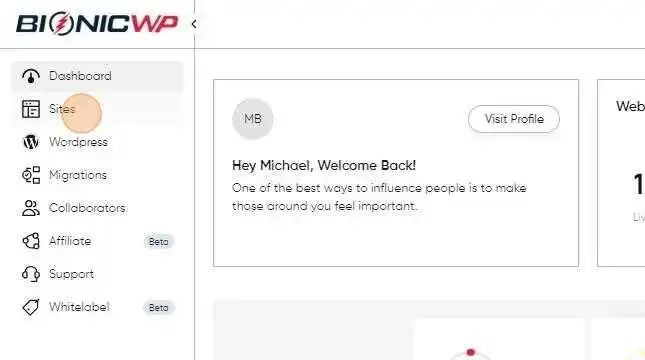
Click "Sites"
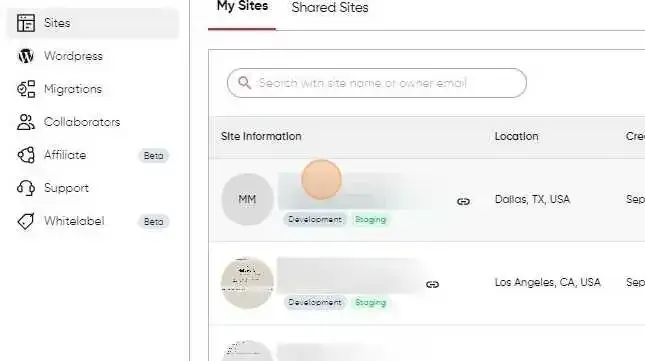
From the BionicWP site list, click on the site you wish to protect.
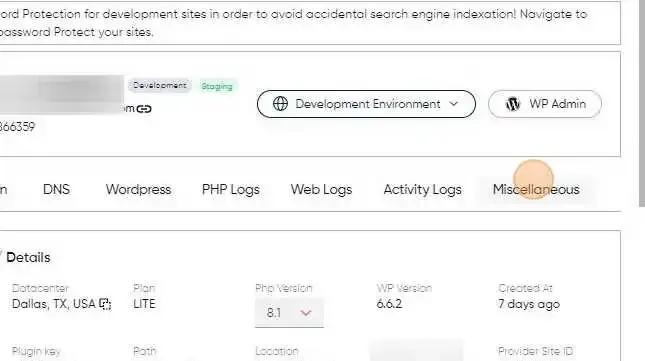
Within the site details page, find and click on the “Miscellaneous” tab.
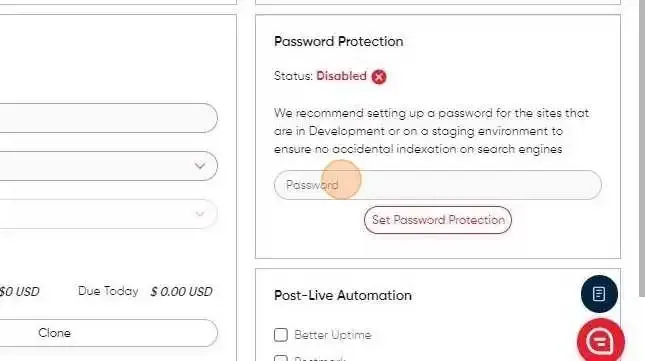
From here, you’ll have the option to set a password for the site.
Why Use Password Protection?
- Prevent Accidental Indexing: When a site is under development or testing, you don’t want it to appear in search engine results. Password protection blocks bots, preventing indexing during this phase.
- Restrict Public Access: If you want to limit access to specific users or teams, password protection is ideal. You can control who can view the site by distributing the password to relevant stakeholders only. This feature is especially useful for development or staging environments, helping you maintain control over your site’s visibility until it’s ready to go live.
Notes:
- Once password protection is enabled, users will need to enter the password before viewing the site.
- Make sure to keep the password secure and only share it with trusted individuals.
This feature provides peace of mind and control, ensuring that your site stays private until you decide otherwise.